In brief
What are CMS workflows?
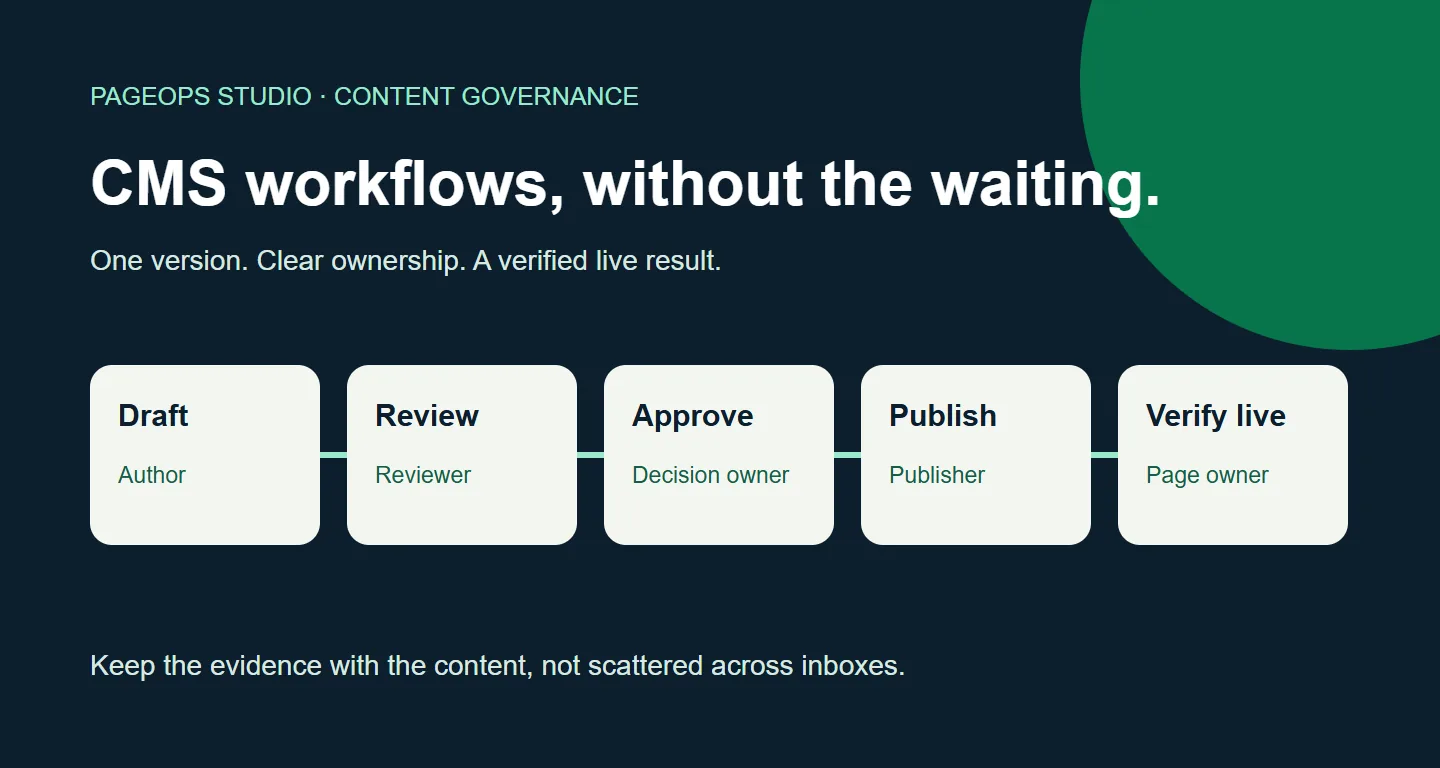
CMS workflows are the agreed steps, responsibilities, and rules that move content through a content management system: from a brief and draft to review, approval, publication, live verification, and eventual retirement. A useful workflow records who owns the next action, which version is being approved, and what must be checked before a change reaches customers. It is more than a sequence of status labels.
A product page needs a small update. The copy is ready, but nobody knows whether legal has reviewed it. A country team is looking at an older translation. The publisher has an approval message in their inbox, yet the CMS contains a newer revision. By Friday, a ten-minute edit has become a week of chasing people.
That is the problem well-designed CMS workflows should solve. Not by adding more gates, but by making each handoff understandable. This guide explains how to build an editorial workflow that protects quality without turning every update into a project. It includes published research, two external customer stories, a practical approval template, and measures you can use to find the real bottleneck.
CMS workflows, content governance, and publishing are different jobs
Content governance decides the rules: who can change a claim, which markets need review, how long material remains valid, and who can publish. An editorial workflow applies those rules to a particular piece of work. Publishing is the technical action that makes an approved version available to an audience. Confusing these jobs creates a familiar mistake: treating “published” as proof that everything was reviewed.
A content approval workflow answers, “Is this version acceptable?” A CMS publishing workflow answers, “How does that version reach the intended channel?” Live verification answers, “Did customers receive the right result?” Keep those questions separate, even if one person handles all three. A successful deployment can still deliver the wrong locale, a missing image, or an outdated shared component.
Native CMS tools often provide the foundations. Adobe describes workflows as a way to automate activities, including steps involving participants. Drupal Content Moderation can keep a published version available while another revision moves through review. The important design work is deciding what each state means for your team, not inventing a new name for “draft.”
Why better CMS workflows matter: the research behind the problem
Content Marketing Institute and MarketingProfs’ 2025 B2B content marketing research found that 45% of respondents lacked a scalable model for content creation. Another 38% said they had content management technology but were not using its potential. The report covers 980 B2B respondents, mostly in North America, surveyed in June–August 2024.
These are useful indicators of operational friction, not a CMS market-share study or evidence that one workflow product solves it. They are also historical survey findings, not a live measure of every enterprise team. Our takeaway is narrower: buying tools and building a repeatable operating process are different investments. Before commissioning another integration, check whether people agree on ownership, approval evidence, and completion.
For your own team, a small sample of real changes is often more useful than a sweeping benchmark. Follow a product update, a translated campaign, and a routine correction from request to live page. Note where work waits, where context disappears, and where someone has to search for the right resource. Those observations will tell you which part of the process deserves attention first.
A seven-stage CMS workflow template you can adapt
Use the following model as a starting point, not a requirement to create seven approval gates. Several stages can happen in one session. The purpose is to make the evidence explicit, particularly when work crosses teams, languages, or environments.
1. Brief: define the change and its owner
Start with the customer-facing URL, the reason for the change, its intended audience, and the person accountable for completion. Add affected markets, content identifiers, dependencies, and a desired publication date. “Update the banner” is not enough when the banner is reused on twelve pages. The owner should know whether the request concerns one instance, a shared component, or a source that feeds several channels.
2. Draft: prepare the right content version
The author makes the change in the correct environment and locale. Keep the revision identifier or equivalent version evidence with the task. Record any unresolved questions next to the content rather than burying them in chat. If the change affects a reusable entry, inspect where it is used before editing. A clean draft is one that a reviewer can understand without reconstructing the author’s journey.
3. Review: check meaning and page quality
Separate substantive review from mechanical checks. A subject expert confirms the product information; an editor checks clarity; automated checks can flag missing fields, broken links, or invalid metadata. Review the rendered preview as well as the form fields. Headings, image crops, responsive layout, and component order may look correct in the CMS yet fail on the page visitors actually see.
4. Approval: accept a specific revision
Approval should attach to the version reviewed, not just the page title. Record the approver, timestamp, decision, and any conditions. If an author changes a material claim after approval, return that revision to review. Define “material” beforehand: a price, legal statement, destination link, or product specification may require another sign-off, while an agreed punctuation correction might not.
5. Publication: release the approved scope
The publisher checks dependencies, scheduling, permissions, and the target environment. A page may depend on unpublished assets or referenced entries. For scheduled work, record the time zone and the expected owner at launch. Do not silently add unrelated content to a release just because it happens to be selected. Our AEM publishing checklist shows how these principles translate into a particular CMS.
6. Live verification: confirm what customers receive
Open the public URL and check the changed content, locale, important links, and key metadata. Where delivery uses caching or a separate frontend, publication and visibility may not happen at the same moment. Mark the task complete only when its agreed acceptance checks pass. Keep a short record of the URL and time checked so the next person does not have to repeat the investigation.
7. Maintenance: review, update, or retire
Give time-sensitive material a review date and an owner. Campaigns, offers, policy pages, and product claims should not remain live indefinitely because the original publishing task is closed. Decide whether expired content needs an update, removal, archive, or redirect. Retirement is part of the content lifecycle, and it deserves the same care as launch when customers or search engines still use the old URL.
Design approval workflows around risk, not hierarchy
If every change goes through every department, reviewers become a queue rather than a quality safeguard. A more useful model routes work by consequence. Routine corrections follow a short path. Product claims involve a subject expert. Legal or regulated statements require the designated specialist. Shared components need an impact check because one edit can affect many destinations.
Use this example matrix to start the conversation. These are suggested responsibilities, not universal rules or legal advice. Adapt them to your organization’s actual obligations.
| Change | Review focus | Release evidence |
|---|---|---|
| Routine copy correction | Editorial accuracy | Reviewed revision and live check |
| Product claim or price | Subject expert and commercial owner | Approved facts and affected markets |
| Legal or regulated statement | Designated specialist | Explicit sign-off on the exact version |
| Shared component update | Content owner and impact review | Known destinations and preview checks |
Each task needs one accountable owner, even when several people contribute. Name a backup for critical reviews and define what happens when a deadline is missed. Escalation should bring the right decision-maker into the conversation, not automatically publish unapproved content. A deadline is a business constraint; it is not evidence of approval.
Make rejection useful. “Needs work” creates another round of guessing. A reviewer should identify the problem, the expected change, and whether another full review is needed. Let specialist reviews run in parallel where they are genuinely independent, but bring their decisions together before publication. Otherwise one reviewer can approve a version that another reviewer has already asked the author to replace.
What published customer stories teach us about workflow improvement
External case studies can reveal useful patterns, but they are not controlled experiments. The examples below are published by Contentful, describe its customers, and reflect the organizations’ own reported experiences. They are not PageOps Studio clients or promised outcomes for your project.
Docusign: shorten handoffs through controlled self-service
In Contentful’s Docusign story, the company describes a legacy process that required significant development effort for updates and localization. The new approach combined reusable components with self-service workflows, including the ability for the legal team to update content. The story reports a shift from an average of two weeks for more complex core webpage updates to five-minute website updates after adoption.
The lesson is not that every enterprise update should take five minutes. The before-and-after descriptions cover an organization-specific change, and the story does not establish a universal like-for-like benchmark. The useful question is whether your team is waiting for development work on changes that trained content owners could safely make within an approved model.
Biogen: treat localization as an operating process
Contentful’s Biogen story describes a move away from a rigid publishing setup and experimentation with AI Actions for translation. A customer representative reports being able to localize, clone, and translate a webpage in minutes rather than days. This is a vendor-published account of a specific implementation, not independent proof of translation quality or a guaranteed time saving.
For workflow design, the relevant lesson is to remove avoidable preparation and handoff work while retaining human review where needed. Translation speed and publication readiness are separate measures. A fast first draft still needs checks for terminology, market context, claims, links, and the final rendered experience.
Applying these lessons without a CMS migration
You may not need to replace your platform to improve either problem. First inspect native permissions, preview, moderation, and reusable-content features. Then look for the missing connection between them. Our Contentful assistant demonstration shows one possible connection: moving from a visible component to its responsible entry while keeping locale context. It is a demonstration, not measured customer evidence.
Build SEO and localization checks into content governance
An SEO content workflow should make search-related decisions before the last publishing step. The brief identifies the audience and search intent. The draft answers the reader’s question clearly. Review checks the title, description, headings, internal links, image alternatives, and canonical destination. Publication confirms that the approved content is crawlable when it is supposed to be public.
Do not turn every SEO check into a hard blocker. A broken primary call to action deserves a different response from an optional description improvement. Classify findings as blocking, review-required, or advisory, and name the person who can accept an exception. This stops low-impact warnings from obscuring the issues that actually matter.
For multilingual content, record both language and market. French copy intended for France may need different offers, contacts, and links from French copy intended for Canada. Confirm whether a field is translated, intentionally shared, or supplied by fallback. A page can look complete while some visible content still comes from another locale. Review exceptions explicitly rather than assuming any difference is a mistake.
Reuse needs ownership, too. A local team may be allowed to change contact details but not a centrally governed product claim. Document what can be overridden and what should remain inherited. The same principle applies to page-based and headless systems: compare meaningful content fields and components, not every generated HTML difference. Our language-master and Live Copy guide explores that distinction in AEM.
For visibility in search and AI-assisted answers, prioritize accessible, useful content with clear sources. Google’s guidance for generative AI search features emphasizes foundational SEO and original, people-first value rather than special optimization tricks. Clear definitions and evidence help readers assess a page; they do not guarantee that Google or another answer system will select it.
Automate repetitive work, not accountability
Start with actions that are easy to verify: routing a task, notifying an owner, checking required fields, finding a referenced entry, or flagging an expired review date. These reduce administrative effort without pretending to make the final editorial decision. An automatic reminder is useful only if it reaches someone who owns the task and includes enough context to act.
Be more cautious with automatic publication, mass updates, and generated translations. Define permissions, audit records, retry behavior, and a rollback path before enabling them. A failed integration should not quietly advance the content state. A repeated webhook should not create duplicate tasks or publish the same release twice. Test failure cases alongside the successful path.
A browser extension can help when the friction is navigation or scattered context: finding the correct editor, retaining locale, showing available workflow history, or highlighting an affected component. It should complement the CMS, not bypass its permissions or replace the authoritative approval record. See our custom CMS workflow solutions for the kinds of connection we focus on.
Ask a simple question before building anything: can the team solve this with its existing platform configuration? If the answer is yes, start there. If people still spend time matching public URLs to content records or switching between disconnected screens, a focused integration may be justified. Keep its scope narrow enough that you can measure whether it helps.
Measure the bottleneck, then run a 30-day pilot
Do not judge CMS workflow management by the number of tasks closed alone. A team can close more tasks while creating more rework. Track cycle time from an agreed start to live verification, waiting time at each handoff, review rounds, and corrections found after publication. Separate content types and risk levels so a routine typo is not compared with a multilingual legal update.
- Cycle time: elapsed time from an accepted brief to a verified live result.
- Waiting time: time spent ready for someone else to take the next action.
- Rework rate: completed changes that need a correction, divided by completed changes in the same period.
- Approval age: time since a review-ready revision entered its current approval queue.
- First-pass acceptance: submissions approved without a further revision, tracked alongside quality.
In week one, map a small sample and agree on state definitions. In week two, choose one improvement: a clearer review route, a required version reference, or a direct editor destination. In week three, use it for a comparable set of changes and log exceptions. In week four, compare results with the baseline and ask editors where friction remains.
Report the sample size and limitations. A quiet week, a different campaign mix, or an absent reviewer can change the result. Use medians and ranges where a few unusual tasks distort an average. Do not claim a productivity percentage from an informal impression. Keep the improvement if it reduces waiting or mistakes without weakening control; adjust it if it simply moves the queue elsewhere.
Common questions about CMS workflows
What is the difference between an editorial workflow and a CMS workflow?
An editorial workflow covers the wider process of planning, creating, reviewing, and maintaining content. A CMS workflow implements the relevant states, permissions, transitions, and tasks inside the platform. Work can begin outside the CMS, but approval evidence should still identify the content version that will be released.
How many approval stages should a content workflow have?
Use the fewest stages that cover the actual risks. A routine edit may need one review; a regulated claim may need specialist approval. Add a stage when it has a distinct decision and owner, not because another department wants visibility. Visibility can often be provided without another blocking approval.
Can the same workflow support a headless CMS?
Yes, but review the delivery dependencies. One webpage may combine several entries, assets, locales, and frontend code. Identify the content set being approved and verify the rendered preview. Publishing one entry is not necessarily the same as releasing a complete page or rebuilding the customer-facing website.
Will better workflows improve SEO rankings?
They can help teams apply quality checks consistently, correct errors, and keep content current. They do not directly guarantee rankings. Search performance also depends on relevance, competition, crawlability, site reputation, and other factors. Measure operational improvements separately from organic traffic and conversions.
When is a custom solution worth considering?
When a repeated, measurable gap remains after you have checked native capabilities. Good candidates include lost page context, difficult entry discovery, or fragmented workflow evidence. Start with one real task and a small pilot. A useful solution makes the next action easier without inventing another system of approvals.
Make the next handoff easier
Start with one workflow your team struggles to complete.
Share the CMS, the content change, and the point where work slows down. We can help identify whether the answer is better configuration, a clearer operating process, or a focused custom solution.
Discuss your CMS workflow